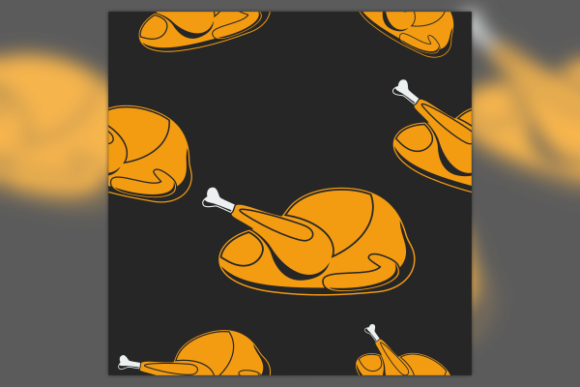
Thanksgiving Turkey Seamless Pattern
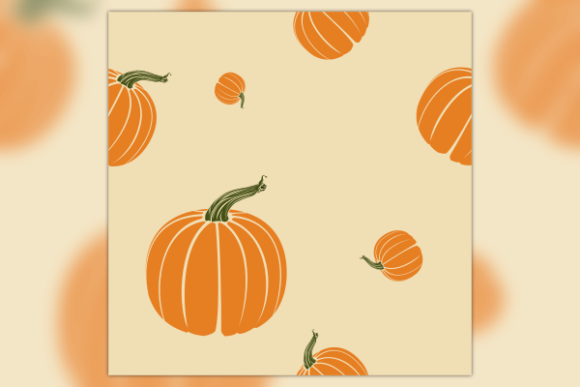
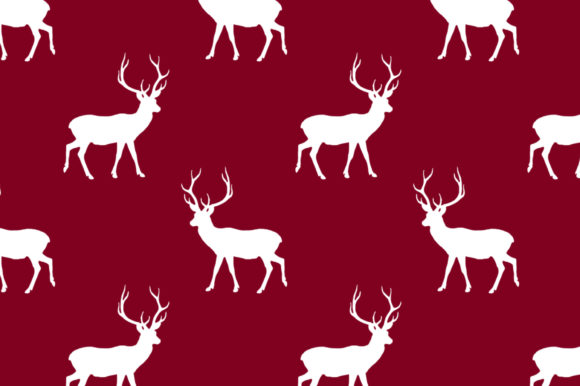
Creating a cohesive design for the holiday season often feels like trying to carve a turkey without a knife; it requires the right tools and a clear understanding of what you are working with. The Thanksgiving Turkey Seamless Pattern offers a solution that is both visually appealing and technically versatile. This collection features an editable SVG vector of a flat-style roasted turkey illustration in various positions, designed specifically to tile perfectly across any surface. Whether you are looking to produce high-quality fabrics, craft personalized invitations, or develop merchandise for your small business, this pattern provides the foundational elements needed for professional results.
Many creators jump straight into using graphics without considering the technical implications of file formats. While raster images like JPEGs are common, they lack the scalability required for large-scale printing or detailed editing. By choosing a seamless vector pattern, you ensure that your design remains crisp whether it is printed on a tiny greeting card or a massive banner. However, simply downloading the file is not enough. To truly leverage the potential of this asset, you must understand how to edit it correctly and avoid common pitfalls that can ruin a project's quality.
The Importance of Vector Formats and Software Choice
One of the most frequent mistakes beginners make is assuming all graphic files are created equal. When you purchase a package containing EPS, PDF, and high-resolution PNG files alongside the main SVG, it is tempting to open the PNG immediately because it looks ready to use. This is a critical error if you plan to resize the image or change colors later. Raster images pixelate when enlarged, whereas the SVG (Scalable Vector Graphics) format allows for infinite scaling without loss of quality.
To get the most out of the Thanksgiving Turkey Seamless Pattern, you should prioritize using Inkscape software for your primary editing work. Inkscape is a powerful, free, and open-source application that handles SVG files natively. Unlike some proprietary software that might struggle with complex path data or specific layer structures, Inkscape gives you full control over every element of the turkey illustrations. You can easily separate the individual turkeys, adjust their spacing, or recolor them to match your brand palette before creating the seamless loop.
If you attempt to edit these vectors in basic image editors like Microsoft Paint or standard photo viewers, you will likely find yourself stuck. These programs cannot manipulate vector paths, meaning you cannot isolate a single turkey to move it closer to another one to fix a gap in the pattern. This limitation forces you to accept the default layout, which might not suit your specific design needs. By investing time in learning the basics of Inkscape, you unlock the ability to customize the pattern until it fits your vision perfectly.
Understanding Seamless Tiling Mechanics
A seamless pattern is defined by its ability to repeat without visible breaks. The challenge lies in ensuring that the edges of the image align perfectly so that the repetition is invisible to the human eye. A common misunderstanding among hobbyists is that any repeating image is automatically seamless. If you place a turkey illustration next to itself without adjusting the negative space, you may end up with awkward gaps or overlapping elements that look unprofessional.
When evaluating the Thanksgiving Turkey Seamless Pattern, check the alignment of the edge points. In a well-constructed vector file, the left edge should mirror the right edge, and the top should match the bottom. If you download a low-quality version, you might notice "seams" appearing after you print or stretch the fabric. This issue is particularly problematic for entrepreneurs selling printed goods, as visible seams can lead to customer returns and damaged reputations. Always preview the pattern at 100% zoom before committing to a production run.
Common Pitfalls in Application and Usage
Beyond the technical aspects of file handling, there are practical errors related to how these patterns are applied to different mediums. One significant oversight is ignoring the resolution requirements for different output types. While the included high-resolution PNG is excellent for web use or digital marketing campaigns, it may not be sufficient for large-format printing unless the dimensions are carefully managed. Conversely, relying solely on the vector file without exporting a raster version for certain workflows can cause compatibility issues with older printing presses or specific design templates.
Another mistake involves neglecting the color mode of the final output. Digital screens use RGB (Red, Green, Blue) color models, while physical printing relies on CMYK (Cyan, Magenta, Yellow, Key/Black). If you export your Thanksgiving design directly from Inkscape without converting the color profile, the colors on your printed invitation or t-shirt might appear dull or shifted compared to the screen preview. It is essential to convert your final artwork to CMYK before sending it to a printer to ensure color accuracy.
- Overlooking Licensing: Always verify the usage rights attached to the ZIP file. Some vectors are restricted to personal use only, while others allow commercial merchandising. Misinterpreting these terms can lead to legal complications for freelancers and business owners.
- Inconsistent Scaling: When creating backgrounds for cards versus fabrics, the density of the turkey pattern changes. Using the same scale for both can result in a design that looks too busy on a card or too sparse on a tablecloth. Adjust the spacing in your vector software to fit the intended medium.
- Ignoring File Organization: The provided ZIP contains multiple formats. Saving the wrong version as your master file can lead to frustration later. Keep the original SVG as your master document and create copies for specific projects.
Evaluating Quality Before Purchase or Download
Before integrating this asset into your workflow, take a moment to evaluate the source. Not all "flat style" illustrations are created with the same level of detail. Look for clean lines and logical grouping of layers. In a high-quality vector file, the turkey's body, legs, and garnish should be on separate layers or grouped logically. This structure makes it much easier to edit individual components without accidentally moving the entire image.
Consider the versatility of the positions included. A good seamless pattern offers variety. If the turkeys are all facing the same direction or standing in identical poses, the resulting background can feel repetitive and monotonous. The best versions of the Thanksgiving Turkey Seamless Pattern include variations in orientation and pose, creating a more dynamic and organic look that mimics a natural gathering. This variety adds depth to your designs, making them suitable for a wider range of applications, from educational materials for classrooms to festive decorations for corporate events.
Finally, think about the longevity of your investment. Trends come and go, but classic holiday themes remain relevant year after year. By choosing a high-quality, editable vector set, you future-proof your design library. You can reuse these assets for years to come, adapting them to new trends by simply changing colors or adding modern decorative elements. This approach is far more cost-effective than constantly purchasing new clip art for every seasonal project.
By avoiding these common traps and adopting a methodical approach to editing and application, you can transform a simple graphic into a cornerstone of your holiday design strategy. Whether you are a seasoned designer refining a client's branding or a parent crafting unique party invites, the right tools and knowledge make all the difference. Take the time to explore the capabilities of Inkscape, respect the technical limits of your file formats, and let the Thanksgiving Turkey Seamless Pattern bring warmth and professionalism to your seasonal creations.